Congratulations … your website is live and you have announced the launch. Now what?
Launching a website is not a task that needs to be repeated every month, but the website should not be forgotten either. The first few weeks are a good time to connect it with the places where your customers already find you, start sharing it and see how people use it.
You do not need to complete all the different tasks in 15 days. Some actions take only a few minutes, while others can be done gradually.
Here are some useful things to do after your website goes live.
1. Share the website with your contacts
Send the new website to existing clients, suppliers, business contacts and other relevant people who may want to know about your business.
2. Add it to your email signature
Your website can sit below your name and contact details in your regular business emails.
3. Announce the launch on social media
A simple post saying that your new website is live is enough; you can include the website link and a short introduction to what has changed.
4. Update your social media profiles

Check your Instagram, LinkedIn, Facebook and other business profiles and add the website wherever appropriate.
5. Update your Google Business Profile
Make sure the website address, phone number, services, business description and other details on your Google Business Profile match your current information.
6. Connect Google Analytics
Set up Google Analytics so you can see basic information about visitors, popular pages and how people reach your website.
7. Set up Google Search Console
Search Console can help you monitor how your website appears in Google Search and identify some issues that may need attention.
8. Create a permanent QR code
Create a QR code that points to your website and use it on business cards, brochures, packaging, presentations, flyers or other printed material.
9. Add the website to proposals and quotations
If you regularly send proposals, quotations or presentations to customers, include your website address there as well.
10. Update relevant business listings
Add your website to genuine industry directories, professional memberships and other business listings where your company is already present.
11. Add it to your WhatsApp Business profile
If WhatsApp is an important way for customers to contact you, make the website easy to find there too.
12. Keep a list of customer questions
When customers repeatedly ask the same questions, note them down because they can become useful website content.
13. Share specific pages
Do not always share the homepage; a service page, product page, project or useful blog can sometimes be more relevant to the person receiving the link.
14. Take a fresh backup
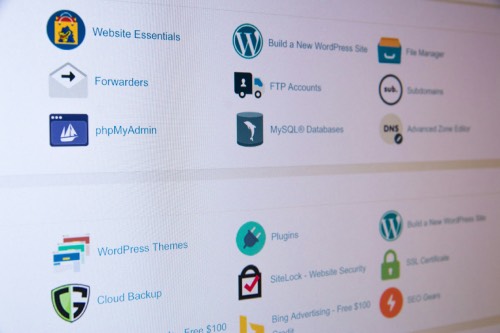
Once the website is live and working properly, make sure you have a recent backup of the website and its important data.
15. Make a few useful changes
Use what you learn from customers and website data to improve something practical, such as unclear content, a service page, an enquiry process or a frequently visited page.
Your Website Is Live. Keep It Useful.
There is no need to turn the first 15 days into a long to-do list.
Some businesses may need to focus on Google and local listings. Others may benefit more from adding projects, writing useful content or making it easier for customers to enquire.
The important thing is to use the website after launching it.
Share it. Keep the information current. Watch what people do. Add useful content when you have something worth saying. And make changes when there is a good reason to make them.
A website does not need something new every day.
It just needs to stay useful, accurate and connected to the way your business works.