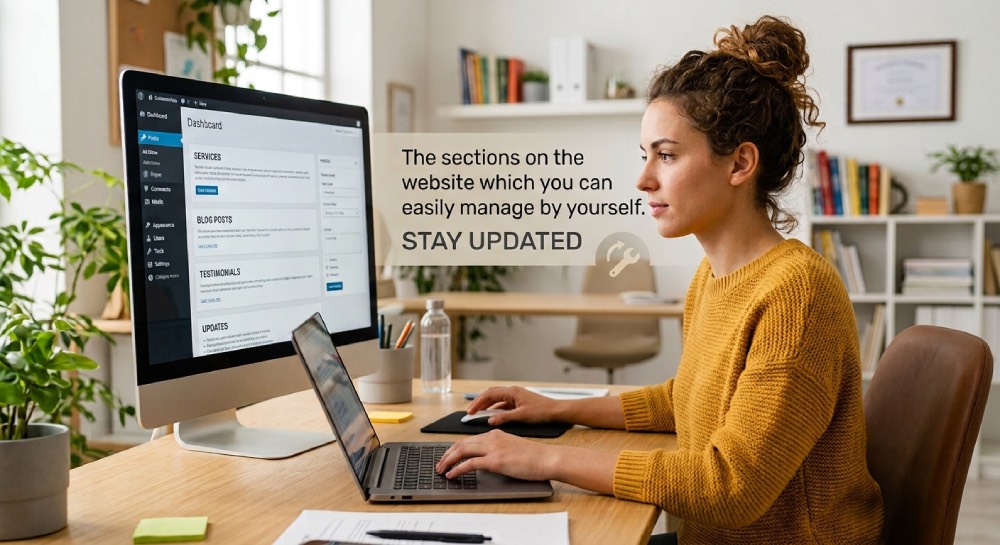
Think about how often you need to make small changes to your website. A new service, a client testimonial, an updated offer, a blog post or even a simple announcement. Do you really need to call your developer every time?
Ideally, no. Some parts of your website should be easy for you or your team to update whenever needed. It saves time, avoids unnecessary costs and, most importantly, helps you keep your website fresh and up to date.
1. Blog Section
Many businesses request a blog because they know it’s “good for SEO.” After publishing one or two articles, the blog is forgotten.
A regularly updated blog helps you:
- Answer common customer questions
- Showcase your expertise
- Improve search engine visibility
- Keep your website fresh
- Generate organic traffic over time
You don’t need to publish every week. Even one quality article each month can make a difference.
2. Testimonials
Businesses work hard to collect positive customer feedback, yet those testimonials often remain buried in emails or WhatsApp chats.
Adding genuine testimonials to your website builds confidence and reassures potential customers that others have had a positive experience.
Better still, place relevant testimonials on service pages rather than keeping them all on a single “Testimonials” page.
3. Frequently Asked Questions (FAQs)

How many times do you answer the same questions?
“What are your business hours?”
“How long does delivery take?”
“Do you provide installation?”
Instead of answering these repeatedly, create an FAQ section.
It saves your team’s time and helps customers find answers instantly.
It can also improve your website’s visibility on search engines when written thoughtfully.
4. Contact Forms
Many websites include a contact form simply because it’s expected.
But when was the last time you tested it?
Businesses are often surprised to discover that enquiry forms have stopped working due to email configuration issues or spam filters.
Make it a habit to test your forms regularly.
A non-working contact form could mean missed enquiries without you even knowing it.
5. Image Galleries and Project Portfolios
If your business completes interesting projects, don’t let them remain on your phone.
Regularly updating your gallery or portfolio demonstrates experience, keeps the website fresh, and gives potential customers confidence in your work.
Recent projects are often more convincing than lengthy descriptions.
6. Downloadable Resources
Many websites include brochures, catalogues, product manuals, or company profiles—but they’re rarely updated.
An outdated PDF can create confusion, especially if pricing, contact details, or services have changed.
Review downloadable documents regularly and ensure they match the information on your website.
7. Website Analytics
One of the most valuable features of any website is also one of the least used.
Analytics tools show:
- Which pages attract the most visitors
- Where your visitors come from
- Which services generate the most interest
- How long people stay on your website
Without this information, you’re making business decisions based on assumptions rather than data.
Even spending 15 minutes reviewing your website analytics each month can reveal useful insights.
8. Social Media Integration
Many businesses proudly display social media icons in the footer—but never update them.
Make sure your website links to active social media profiles and that your latest content reflects your current business.
Your website and social media should work together, not as separate marketing channels.
9. Search Engine Optimisation (SEO) Features
If your business has a WordPress website, chances are your developer has already installed an SEO plugin.
Yet many businesses never update page titles, meta descriptions, image alt text, or internal links.
These small improvements help search engines understand your website and can improve your visibility over time.
SEO isn’t a one-time task. It grows with your business.
10. Calls-to-Action
Every page on your website should encourage visitors to take the next step.
Surprisingly, many websites end a page without telling visitors what to do next.
Depending on your business, that next step could be:
- Contact Us
- Request a Quote
- Book a Consultation
- View Our Services
- Download a Brochure
A simple call-to-action can turn an interested visitor into a genuine enquiry.
Bonus Tip: Ask Your Website Development Company for a Walkthrough
When your website is delivered, don’t just ask how to change text or images.
Ask your website development company to explain every feature included in your website.
Many WordPress websites include tools for SEO, backups, analytics, security, forms, and content management that business owners never realise they already have.
A one-hour walkthrough can help you get far more value from your investment.
Final Thoughts
A website isn’t valuable because of the number of features it includes. It’s valuable because of the features your business actually uses.
Whether it’s a blog, testimonials, analytics, or SEO tools, these features are designed to help your website attract visitors, build confidence, and generate enquiries.
Take some time to explore what your website already offers. You may discover that the next opportunity for business growth isn’t a new feature—it’s making better use of the ones you’ve already paid for.
If you’re planning a new WordPress website or working with a website development company in Dubai, don’t just ask what features will be included. Ask how each feature will help your business and how your team can use it effectively. That’s where the real value lies.